Can AI Speed Up 3D Asset Creation for Training?
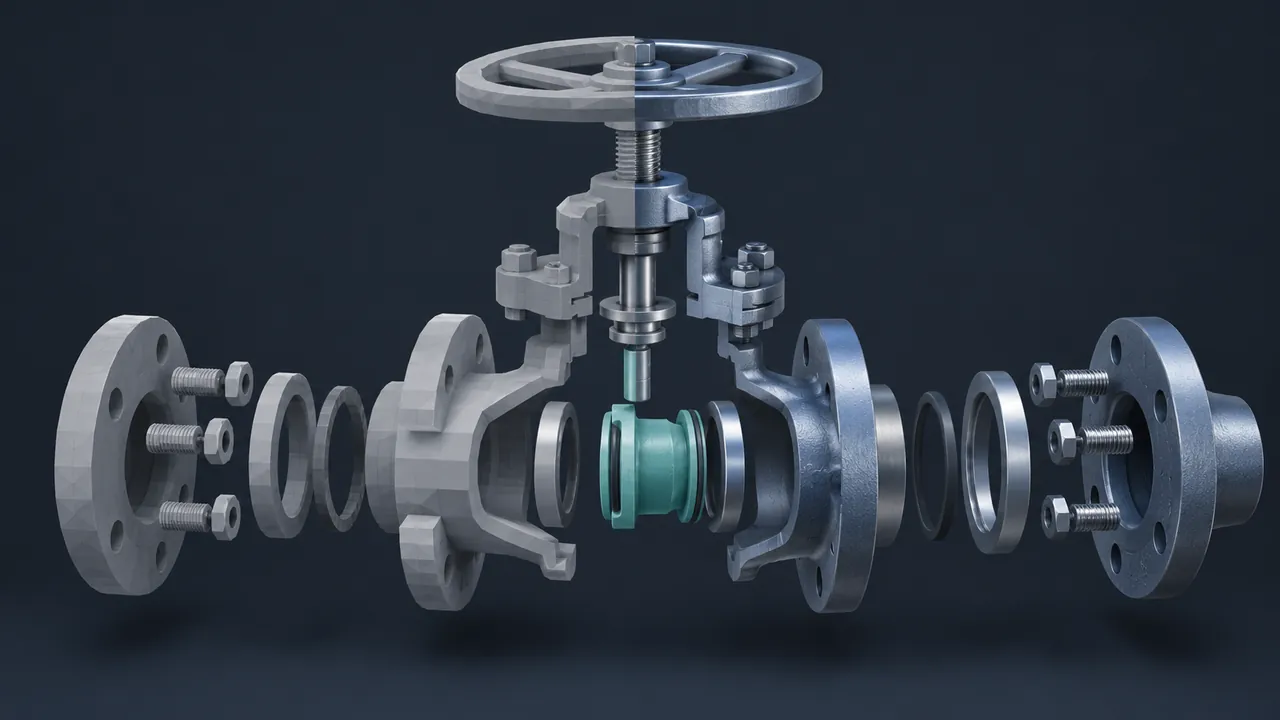
Ask anyone who has built a 3D training scene where the hours went, and the answer is rarely the hero equipment. Someone still has to build the toolboxes, the barrels, the pallets, the signs, the floor textures and the forty other things that make a scene feel like a real workplace. That background work can quietly eat weeks. Can AI 3D models and other AI tools speed up asset creation for training?
Yes, AI can speed up 3D asset creation for training, especially for background props, textures, early prototypes and variations, where it can shrink the first draft of an asset from hours of modeling to minutes. Text-to-3D and image-to-3D tools can generate usable rough models, and AI texture tools can create materials from a description or photo. Where these tools are still weaker is precise, accurate equipment that learners must recognize and operate, which usually still comes from engineering CAD data or a skilled artist. The best workflow uses AI for speed on the bulk of the scene and keeps human artists and subject matter experts in charge of accuracy, cleanup and final review.
What Can AI 3D Tools Do Today?
The category has grown quickly, and the tools now cover most stages of the 3D pipeline, as this short summary of their strengths shows.
- Text-to-3D: describe an object, such as "a dented steel oil drum," and get a textured 3D model to start from.
- Image-to-3D: give the tool a photo or a few views of an object and get a 3D approximation.
- Texture and material generation: create tileable surfaces like rusted metal, worn concrete or painted steel from a prompt or a photo.
- Capture from photos and video: newer reconstruction methods can turn a walk-around video of a room or object into a 3D scene for reference or background use.
- Cleanup helpers: some 3D tools now include AI-assisted features for retopology, upscaling textures or rigging characters.
- Code assistance: tools like GitHub Copilot help developers write the scripts that make assets interactive inside an engine.
None of these replace a 3D artist, but they do give that artist a running start on a lot of tasks that used to begin from a blank screen.
Where Do AI 3D Models Save the Most Time?
The biggest wins come from the things learners see but don't study, so I sort every asset in a training scene into three groups, and AI fits each one differently.
| Asset group | Examples | How AI helps |
|---|---|---|
| Set dressing | Crates, barrels, chairs, cones, tool carts, plants | Generate and lightly clean up; big time savings |
| Supporting equipment | Generic pumps, cabinets, ladders, hand tools | Generate a base, then an artist refines shape and scale |
| Hero equipment | The exact machine learners operate or maintain | Use CAD or an artist; AI helps with textures and details |
Set dressing is where hours quietly disappear in a traditional build. A warehouse scene might need dozens of props, and each one can take an artist real time to model and texture. AI can produce a usable first draft of each in minutes, and the artist spends their time on cleanup instead. The scene fills up faster, and the artist's time shifts to the equipment that matters most for performance.
Prototypes are the other big win. Early in a project, you need a rough version of the scene to test layout, scale and flow with your experts. AI-generated blockouts let you build that test scene in a day, get feedback and change direction before anyone has invested in final art.
Why Hero Equipment Still Needs a Human Touch
Training depends on accuracy, because if a learner practices on a valve that has the handle on the wrong side or a panel with the gauges in the wrong order, the simulation can teach the wrong habit. AI tools generate shapes that look plausible, but they don't know your equipment's real dimensions or layout.
There are also technical issues to plan for:
- Messy geometry. Generated models can have uneven meshes that are hard to animate or optimize.
- Scale. Generated objects don't always come out at real-world size, which matters a lot in VR.
- Style drift. Assets from different prompts may not match each other visually.
- Performance. Some outputs are heavier than they need to be for standalone headsets or mobile devices.
- Rights. Check the terms of use for any tool you use, especially for commercial or client work.
All of these are manageable with a review step, and that review step is simply part of a good pipeline. Treat every generated asset the way you'd treat a purchased stock model: inspect it, fix it and approve it before it ships.
A Practical AI-Assisted 3D Workflow
Here's a workflow I'd recommend for a training scene:
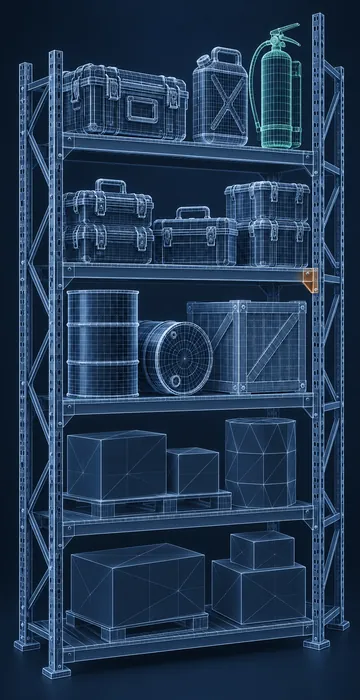
- List every asset and sort it into set dressing, supporting equipment and hero equipment.
- Build hero equipment from CAD or by an artist, with your SME reviewing it against the real thing.
- Generate set dressing and supporting assets with AI tools, using consistent prompts and reference images for a matching style.
- Clean up each generated asset: fix scale, simplify geometry, check textures and remove any odd artifacts.
- Export everything to a common format. The glTF format from the Khronos Group works well for web and many real-time engines.
- Assemble the scene, test it on your target hardware and do a final walk-through with your SME.
Write down the prompts and settings that gave you good results. A short internal style guide for AI-generated assets keeps everything consistent across projects and makes it easier for new team members to match the look.
What Skills Does Your Team Need?
Your team needs less 3D skill than you might fear, but more than zero. AI tools lower the barrier to getting a first model, not the need to judge whether it's any good. The most useful skills are practical ones that come with regular use.
- Basic 3D cleanup in a tool such as Blender: scaling, simplifying meshes and fixing materials.
- An eye for consistency, so props from different prompts look like they belong in the same world.
- Knowledge of your target hardware's limits, so assets stay light enough to run smoothly.
- Clear prompt writing, with reference images and style notes that others can reuse.
An instructional designer with curiosity and some practice can often handle set dressing for simpler projects, and a dedicated 3D artist then becomes the quality lead and focuses on hero equipment, which is a better use of a scarce skill. That shift, from making everything by hand to directing and refining, is where most teams feel the real speed gain.
How Much Faster Is It, Really?
The time savings depend on the mix of assets in your scene. A project that is mostly hero equipment, like a single detailed machine, won't change much, because that work still needs careful modeling. A project with large environments full of props, like a warehouse, a site orientation or a busy plant floor, can see big savings.
The best way to know is to measure it on your own work. Pick one scene, track hours for a traditional build of a sample of props, then track the AI-assisted version of the same props including cleanup time. That honest comparison will tell you far more than any vendor claim, and it helps you plan budgets for the next project.
Faster Scenes, Same Standard of Accuracy
AI already speeds up 3D asset creation for training, most clearly for props, textures and prototypes. AI 3D models let small teams build fuller, more believable scenes faster, while artists and experts focus on the equipment learners must truly know.
The next step after faster assets is smarter equipment models. When accurate 3D equipment connects to real operating data and AI-driven scenarios, it opens up even more possibilities for training. See what an AI digital twin adds to equipment training to get a sense of where this is heading.
Your first move is smaller than that: take the asset list for your next scene, sort it into the three groups and try AI on the set dressing first. You'll know within a week how much time it gives back to your artist.