How Realistic Does a Training Simulation Need to Be?
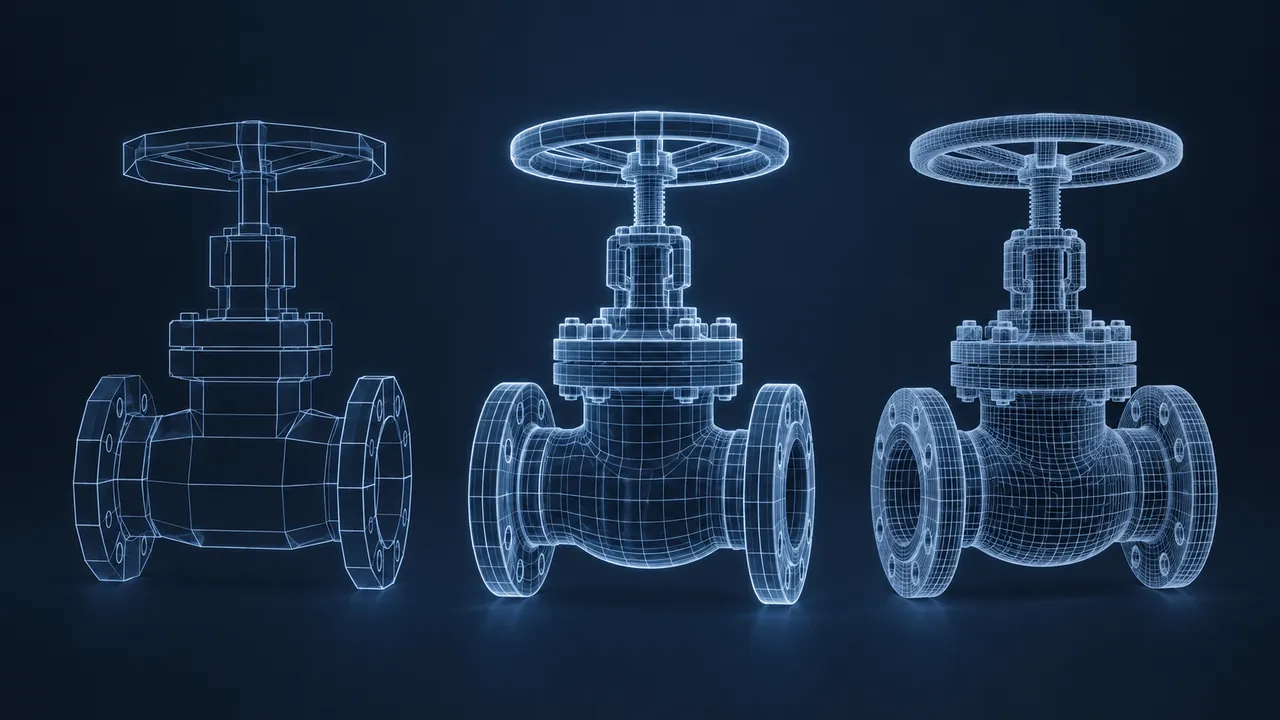
The quote just came back at twice your budget, and the timeline stretched to match. The vendor's sample scenes are stunning, with textured bolts and puddles that reflect the sky. A colleague asks a fair question: do learners really need all of that to learn the task? It's a difficult question to answer on instinct alone. How realistic does a training simulation need to be?
A training simulation needs to be realistic in the ways that affect the skill being practiced, and no more. Simulation fidelity has several parts: how it looks, how it behaves, how it feels physically and how much it makes the learner think and decide like they would on the job. Behavior and decision-making realism usually matter far more than visual detail. Novices often learn better from simpler, focused simulations, while experienced people benefit from higher fidelity that matches real-world complexity. Match the fidelity to the task and the learner, and you'll save budget without losing learning.
What Is Simulation Fidelity?
Simulation fidelity is how closely a simulation matches the real situation it represents, but it isn't a single dial. I find it helpful to picture four separate dials, each of which you can turn up or down on its own.
- Visual fidelity: how real it looks. Textures, lighting, models and detail.
- Functional fidelity: how real it behaves. Do the controls respond the way the real equipment would? Do the rules match reality?
- Physical fidelity: how real it feels. Real controls, real weight, real body position.
- Cognitive fidelity: how real the thinking is. Does the learner face the same decisions, pressure and uncertainty as on the job?
Most project budgets get spent on the first dial, while most learning comes from the second and fourth. That mismatch is the root cause of many expensive, underwhelming simulations.
Why Isn't Maximum Simulation Fidelity Always Better?
Realism has costs beyond money, because a highly detailed scene gives learners more information to process. For a beginner, that extra detail can obscure the few things they need to notice. A simpler view that highlights the key valve and dims the rest can teach the procedure faster than a photo-real plant where everything competes for attention.
Instructional designers have discussed this idea for decades. Stephen Alessi is often associated with the argument that the most useful level of fidelity rises with the learner's expertise. Beginners perform better with simplified, focused simulations, while experts need more realism to keep the practice meaningful. The chart below sketches that idea as a conceptual model.
Conceptual model of how the best fidelity level shifts with experience
- Novices
- Experienced
Model: a conceptual sketch of the fidelity and expertise idea discussed in instructional design literature. Values are relative scores from 0 to 10, not measured data.
View the data
| Novices | Experienced | |
|---|---|---|
| Very low | 4 | 2 |
| Low | 7 | 4 |
| Moderate | 8 | 6 |
| High | 6 | 8 |
| Very high | 4 | 9 |
Read it as a general shape rather than a measurement. The novice curve peaks in the middle and declines when detail becomes overwhelming, while the expert curve keeps climbing, because experienced people use the additional cues. Your learners might sit anywhere along that range, and that's exactly why the "how realistic" question has no single answer.
Which Kind of Fidelity Matters Most?
It depends on what the learner has to do, so start with the task. Here's how I'd match common training goals to the dials that matter most.
| Training goal | Turn up | Can stay low |
|---|---|---|
| Learn a procedure sequence | Functional | Visual, physical |
| Recognize equipment and locations | Visual (moderate), spatial layout | Physical |
| Make judgment calls under pressure | Cognitive, functional | Visual |
| Build muscle memory for controls | Physical, functional | Visual |
| Visual inspection for defects | Visual (high) | Physical |
| Certify operators on regulated equipment | All, to the required standard | None |
That last row is a reminder that some fields set their own rules. Aviation is the classic example, where the Federal Aviation Administration's National Simulator Program qualifies flight simulation devices at different levels, and the level determines what training credit a device can provide. If your industry has requirements like that, they set the floor for fidelity.
One Task at Three Levels of Fidelity
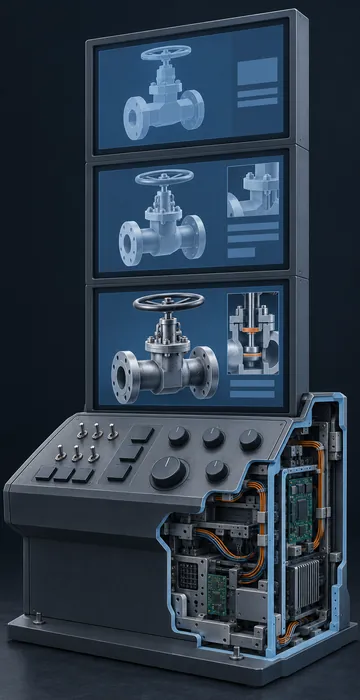
It helps to see the same task built at three different levels. Say the goal is teaching operators to isolate a pump before maintenance: close the right valves in order, lock the breaker and confirm zero energy.
Low Fidelity
The low-fidelity version is a 2D diagram of the pump and its piping, in which learners click valves and the breaker in sequence. An incorrect order triggers a short consequence, like a pressure warning. It's quick to build and easy to update, and it teaches the sequence and the logic very well, but it won't teach anyone where the valves are physically located.
Moderate Fidelity
The moderate version is a 3D model of the actual pump area on a desktop or tablet. Learners move around, locate the valves in their real positions and perform the steps, with visuals that are clean but not photographic. This adds spatial knowledge, which matters if valves are difficult to spot or easy to confuse on site. For most organizations, this is the level I'd pick for a task like this.
High Fidelity
The high-fidelity option is a photo-real virtual reality (VR) version where learners turn valve handles with their hands, hear the pump and must check a gauge to confirm zero pressure. This adds physical rehearsal and stronger presence, but it costs considerably more and takes longer to update. That cost makes sense when the area is hazardous, hard to access for practice or tied to serious past incidents.
All three versions teach the core sequence. Each step up adds something genuine, and each step up multiplies the budget. The question is whether the extra realism changes what learners can do on the job.
How Do You Choose the Right Level?
Work backward from the job, using these steps to keep the conversation grounded.
- Name the exact behavior learners must perform after training.
- List the cues they rely on to perform it: a sound, a gauge reading, the position of a part, a change in someone's tone.
- Make sure the simulation reproduces those cues accurately. Everything else can be simplified.
- Consider who the learners are. New hires need focus. Veterans need complexity and surprise.
- Prototype at low fidelity first, test it with real learners and add realism only where testing shows a gap.
Step five saves the most money. A rough prototype with simple shapes often reveals that learners already understand the task, or that the missing piece is a decision point, not a better texture.
Fidelity and Access
Higher fidelity can also exclude people. Very detailed 3D scenes require more powerful hardware, and immersive experiences can be hard for people with some vision, balance or mobility differences. Lower-fidelity versions, like a well-labeled 2D simulation, can reach more learners. Keep inclusive design in the conversation from the beginning, and offer alternatives that meet the same objective. The principles of accessible eLearning apply to simulations too, even if the tools look different.
What Are the Signs You've Got Fidelity Wrong?
Too low: experienced users dismiss the simulation as unrealistic, or learners pass the simulation but still struggle on the real job because key cues were missing. Too high: beginners get lost, sessions run long, the budget runs out before the scenarios are finished or the content is too expensive to update when procedures change.
Listen closely during testing. "It doesn't look like our plant" might matter, or it might not. "I wouldn't do that because the gauge would tell me something different" always matters. The second comment concerns functional fidelity, and that's the dial that actually teaches.
Real Enough to Teach, Simple Enough to Learn
So how realistic does a training simulation need to be? Realistic enough that learners practice the real decisions and respond to the real cues, and simple enough that they can focus on them. Simulation fidelity isn't a single slider to maximize but a set of choices you make deliberately, task by task and learner by learner.
Before your next simulation project, sit down with your subject matter expert and list the cues that matter, then concentrate your budget there. The rest of the realism can wait until a learner demonstrates that it's necessary.