Do AI Hallucinations Put Training at Risk? – How to Prevent Them

You asked a chatbot to draft a safety module, and it came back fast, polished and confident. Then a reviewer spotted a regulation that doesn't exist, or a torque value nobody can trace, and now you're wondering how many other errors are hiding in plain sight. Do AI hallucinations put training at risk, and how do you stop them from reaching learners?
Yes, AI hallucinations are a real risk to training, but they are a manageable one. A hallucination is when an artificial intelligence (AI) model states something false as if it were true, such as an invented statistic, a made-up policy clause or a wrong step in a procedure. In training, that error gets repeated to every learner and can resurface later in quizzes and on the job. You prevent it by giving the model your approved source material, requesting drafts rather than facts, and building a human review step into every workflow. Teams that follow this discipline get the speed of AI drafting without publishing fiction.
What Are AI Hallucinations, in Plain Terms?
AI hallucinations are confident, fluent answers that happen to be wrong. Large language models (LLMs) such as ChatGPT, Claude and Gemini generate text by predicting likely words based on patterns in their training data. They are not looking facts up in a verified database unless you connect them to one.
That design is why they write so well, and it is also why they sometimes fill a gap with something that merely sounds right. The Wikipedia article on AI hallucination is a good primer on why it happens and what researchers are doing to reduce it.
Hallucinations tend to look like this in learning content:
- A statistic with a real-sounding source that the source never published.
- A citation to a standard, section number or clause that doesn't exist.
- A procedure with one step added, skipped or swapped.
- Alt text that describes things that aren't in the image.
- A quiz "correct answer" that is subtly wrong, with a convincing explanation.
The alt text item worries me most, because a screen reader user can't glance at the picture to catch the mistake. If the description is invented, that learner simply receives wrong information, and nobody notices.
Why Do AI Hallucinations Happen?
They happen because the model is built to produce a plausible answer, and plausible is not the same as verified. A few conditions make them much more likely:
- Narrow or niche topics. Your company's lockout procedure or a specific product's settings may barely appear in public data, so the model guesses from similar material.
- Requests for precise details. Numbers, dates, part names, legal references and quotes are where invention shows up most.
- Leading prompts. Ask "What are the five OSHA rules for X?" and a model may produce five, even if the real answer is three or "it depends."
- No source material. When you don't give the model your documents, it has nothing to stay inside.
None of this means the tools are bad; it means they are drafting tools. Treat them like a fast, well-read colleague who has never seen your policy manual and needs your documents before making specific claims.
Where Do Hallucinations Hurt Training the Most?
Not every error carries the same weight. A slightly inaccurate example in a soft skills scenario is a quick correction, while a wrong lockout step in a safety course is a serious problem. Sort your content by the consequences of a mistake, then match your review effort to that level of risk.
| Content type | Risk if wrong | Review level |
|---|---|---|
| Safety, compliance, medical or legal | Injury, fines, audit findings | Subject matter expert (SME) line-by-line check against the source document |
| Product specs and procedures | Rework, support calls, lost trust | SME check of every number and step |
| Assessments and answer keys | Learners trained to the wrong answer | Designer plus SME review of each item and rationale |
| Alt text, captions and transcripts | Wrong information for learners using assistive tech | Compare against the actual image or audio |
| Scenarios, examples and summaries | Confusion, minor credibility loss | Designer read-through |
The NIST Generative AI Profile (AI 600-1) lists confabulation, its term for this behavior, as one of the risks organizations should plan for. It's a sensible framework if your legal or IT department wants an official reference to point at.
How to Prevent AI Hallucinations in Training Content
The solution is a workflow, not a better prompt alone, and these six habits cover most of the risk.
1. Give the Model Your Sources
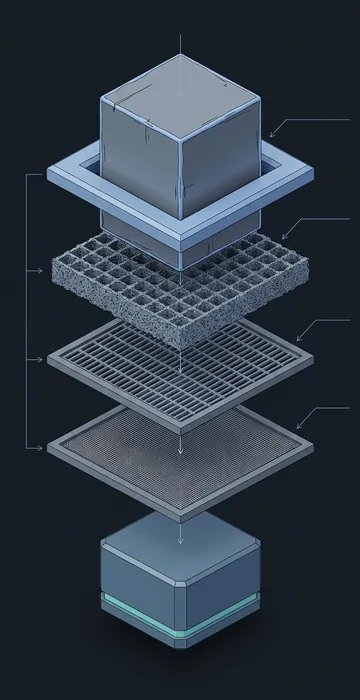
Paste or upload the approved procedure, policy or SME notes and instruct the model to work only from that material. State it explicitly: "Use only the attached document. If the answer isn't in it, say so." Grounded drafting reduces invention because the model has real text to work from instead of patterns and probability.
2. Ask for Drafts, Not Facts
AI is excellent at structure, tone, plain-language rewrites, quiz distractors and first-pass scripts, but it is weaker as an encyclopedia. Use it to reshape content you trust, not to supply content you haven't verified.
3. Make It Show Its Work
Ask the model to quote the sentence from your source that supports each claim, and flag anything it can't point to for review. This single change turns a lengthy fact-check into a quick, focused scan.
4. Flag Every Number and Name
Have reviewers highlight every figure, date, regulation, product name and quotation in the draft, then trace each highlighted item to a source or remove it. The process feels tedious for about ten minutes before it becomes habit.
5. Keep a Human Review Step for Every Release
Good teams already have a subject matter expert review. Keep it, and tell the SME which sections were AI-drafted so they read those passages with fresh eyes, since reviewers catch more when they know where to look.
6. Test Alt Text and Captions Against the Real Media
Automatically generated image descriptions and captions are a significant time saver, and I'm a fan. Still, check each one against the image or audio before publishing, and read the alt text with the image hidden. Does it tell you what you need to know, and is every detail actually present?
A simple rule for your team: AI can write the first draft of anything, but it can't be the only source of truth for anything.
What Does a Good Review Step Look Like?
A good review step is short, specific and owned by a named person. Vague instructions like "please review" produce vague reviews, so give your reviewer a checklist instead.
- Every claim matches the attached source, or it's marked for removal.
- Every number, date and reference was checked by hand.
- Each quiz item has one defensible correct answer.
- Alt text and captions match the actual media.
- The reviewer signs off by name and date in the review log.
Your SMEs are the people best placed to catch AI hallucinations, and AI can make their time go further, too. If you want help structuring those conversations, see how AI SME collaboration can speed up interviews and review rounds without cutting corners.
Should Training Teams Avoid AI to Stay Safe?
No. Avoiding AI doesn't remove errors from training; it simply means every error is human-made. Courses built by hand have always shipped with outdated screenshots, mistakes copied from old slide decks and quiz keys nobody double-checked, which is exactly why review rounds exist.
What AI changes is the speed of the first draft and the type of mistake you need to watch for. Human writers tend to leave gaps, while models tend to fill gaps with confident guesses, and once your reviewers recognize that pattern, they catch it quickly.
The upside is real. A designer who spends less time on the blank page has more time for the work that improves accessibility and accuracy: checking reading order, writing better alt text, testing with a keyboard and sitting with SMEs. I'd much rather see a team use AI with a solid review step than skip it out of fear and run out of time for quality checks.
How Do You Keep AI Hallucinations Out of Every Course?
So, do AI hallucinations put training at risk? They do when a team treats AI output as finished content, and they don't when the team treats it as a draft that has to earn its way into a course.
Ground the model in your approved material, ask it to cite its sources, flag every specific detail, and keep a named human reviewer on every release. That isn't extra bureaucracy; it's the same quality standard good training teams always had, applied to a faster first draft.
Start Monday with one change: add "use only the attached source and say when the answer isn't there" to your team's standard prompt. You'll notice the difference in the very next draft.