Can AI Write Branching Scenarios? – A Better Way to Draft Them
Branching scenarios are some of the best training you can build, and they're also some of the slowest to write. Every choice needs a consequence, every consequence needs feedback, and the whole thing has to feel like real work instead of a quiz in costume. No wonder AI branching scenarios are getting so much attention from busy designers. Can AI write branching scenarios that are actually good?
Yes, AI can write strong first drafts of branching scenarios, as long as you design the decisions before you ask it to write anything. Tools like ChatGPT, Claude and Gemini are quick at producing realistic dialogue, believable wrong answers and consequence text. Where they fall short is knowing which decisions matter on your job, what mistakes your people actually make, and how serious each consequence really is. The better approach is a division of labor: you and your subject matter expert (SME) build the decision map, AI drafts the language, and the SME checks the result. That combination reduces writing time without making the scenario generic.
Why Do AI Branching Scenarios Often Feel Generic?
They feel generic because most people ask for the whole scenario in one prompt. "Write a branching scenario about handling an upset customer" gives the model nothing specific to work with, so it falls back on the most average version of that situation it can produce.
The results tend to share the same weaknesses:
- The right answer is obvious because it's the polite, long, reasonable-sounding option.
- Wrong answers are cartoonish ("Yell at the customer").
- Consequences arrive instantly as lectures instead of playing out in the story.
- Every path ends in the same place no matter what the learner chose.
- Details don't match your products, policies or people.
None of these weaknesses are exactly the tool's fault, because a human writer handed the same one-line brief would produce something similar. Good scenarios come from good input, and that input has to come from people who understand the work.
What Should You Decide Before Prompting?
Before you open a chat window, answer five questions on paper. This is the design work, and it's the part AI can't complete for you.
- What is the one decision, or short chain of decisions, the learner has to get right on the job?
- What do people actually do wrong, and why does it seem like a good idea at the time?
- What happens next in real life after each choice, both right away and later?
- What clues in the situation should tip off a skilled person?
- How many decision points does this really need? (Usually three or four.)
Question two is the most valuable. The best wrong answers are tempting ones: the shortcut that usually works, the policy everyone half-remembers, the response that feels kind but creates a bigger problem. Your SME already knows these, so ask about them directly.
If you want to see what strong scenarios look like before you write your own, Cathy Moore's collection of scenario-based training samples is worth an hour of your time. Pay attention to how the options are written so that no single choice looks like the obvious winner.
A Better Workflow for Drafting AI Branching Scenarios
Here's the workflow I'd recommend to any team starting out, because it keeps the thinking with people and the typing with the tool.
Step 1: Build the Decision Map Yourself
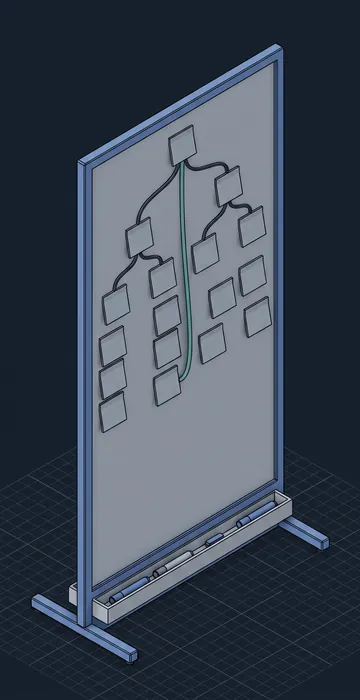
Sketch the structure in a simple list or on a sticky-note wall. Write each decision point, two or three options, and where each option leads, then mark which paths can recover and which end badly. Keep it concise, since a tight three-decision scenario beats a sprawling one nobody finishes.
Step 2: Give the Model Real Context
Paste in the decision map, a short description of the learner and the setting, the common mistakes your SME described, and any policy text that applies. Then request one component at a time, using a prompt pattern like this one:
Write a branching scenario step for new shift supervisors.
Setting: a warehouse, start of night shift.
Decision: an operator reports a sticky forklift brake
but says it's "fine once it warms up."
Write three options: one correct (tag it out), two tempting
mistakes (run it until break; report it later).
Keep options equal in length. Show what happens next
as story events. Add no facts beyond this brief.
Step 3: Ask for Variations, Then Choose
Ask for three versions of each option set and select the strongest lines from each. This is where AI earns its keep, because writing believable alternatives over and over is exactly the tiring part humans skip.
Step 4: Write Feedback Last
Once the paths are set, ask for short feedback at each ending that explains the consequence and points back to the clue the learner should have noticed. Limit feedback to two or three sentences, because learners skim long feedback screens.
Step 5: SME and Accessibility Review
Send the full script to your SME with one question for every branch: "Would this really happen?" Then check the build itself for accessibility, which I'll cover below because it gets skipped far too often.
Can AI Turn an Existing Course Into a Scenario?
Often, yes, and it's frequently the quickest win in the whole process. Most compliance and process courses are full of hidden decisions buried under bullet points. A slide that says "Report all near misses within 24 hours" is really a decision: report it now, wait, or decide it wasn't serious enough to count.
Paste the text of a linear course into your assistant and ask it to list every point where a worker has to choose what to do, noting what a tempting wrong choice might look like at each point. You'll receive a long list. Most of it will be ordinary, and a few items will be exactly the decisions your SME has been complaining about for years.
Take that shortlist to your SME and ask which two or three cause the most real trouble, because those become your scenario. Everything else can stay as a short reference page, which is usually where it belonged in the first place. This approach also helps you trim a bloated course, since content that doesn't support a decision is often content learners don't need.
How Do You Keep Branching Scenarios Accessible?
A brilliant scenario that a keyboard user can't finish is a broken scenario. Branching interactions are especially prone to accessibility problems because designers get creative with clickable scenes, hotspots and drag-to-choose mechanics.
- Present choices as real buttons or links that work with the Tab and Enter keys.
- Make sure screen readers announce new content after each choice, not just a visual change.
- Don't rely on color alone to show good and bad outcomes.
- Write character dialogue as text, and caption or transcribe any audio.
- Avoid timers on decisions unless the time pressure is the point, and offer a way to extend them.
One bonus is that AI is very good at drafting the text alternatives these builds require. Ask it for a short description of each scene image or a transcript of the dialogue, then compare it against what's actually on screen.
What Makes an AI-Drafted Branch Good or Weak?
Use this quick table during review, and if a branch fails two or more checks, send it back for another draft.
| Check | Strong branch | Weak branch |
|---|---|---|
| Option length | All options similar in length and tone | Correct option is longest or most polite |
| Wrong answers | Tempting and based on real mistakes | Silly or obviously careless |
| Consequences | Shown in the story | Delivered as a lecture |
| Recovery | Some mistakes can be fixed later | Every wrong choice ends instantly |
| Accuracy | SME confirmed every detail | Includes facts nobody checked |
Once the script is approved, you may want visuals for each scene. Before you generate them, read up on AI images in eLearning so you know how to keep characters consistent and avoid rights problems.
Let AI Write the Words, Not the Decisions
Can AI write branching scenarios? It can write the dialogue, the options, the consequences and the feedback, and it can do it far faster than most of us. What it can't do is decide which choices matter on your job or which mistakes your people actually make, because that's design, and design belongs to you and your SME.
So reverse the usual approach. Spend your time on the decision map and the real-world mistakes, let the tool handle the drafting and the variations, and then review every branch for accuracy and accessibility before it ships.
Try it on one short scenario first, with three decisions and three options each. You'll learn more about your team's most effective prompts from that one build than from any template.