Which AI Tools Should eLearning Developers Use? – A Toolkit

Open any L&D newsletter and you'll find a new AI tool promising to build your courses for you. It's exciting, and it's also exhausting. Every tool wants a trial, a login and a budget line, and most of them overlap. Meanwhile you just want to know which ones are worth learning. Here's what those newsletters rarely mention: a practical set of AI tools for eLearning is smaller than the hype suggests. Which AI tools should eLearning developers use?
Most eLearning developers need only a few AI tools: one general-purpose assistant, the AI features built into their authoring tool, and a text-to-speech voice tool, with coding, avatar video, image and translation tools added as projects demand. A general assistant like ChatGPT, Claude, Microsoft Copilot or Gemini covers analysis, writing, assessments and editing. Built-in authoring features save steps inside the tools you already use. Voice tools handle narration. Choose based on the tasks you do most, what your organization has approved for its data, and how well each tool fits your workflow, not on feature lists.
What Belongs in an AI Toolkit for eLearning?
A solid toolkit covers six jobs: thinking and writing, building, voice, video, code and translation. You don't need a separate tool for each one, and many teams cover several with a single assistant.
| Category | Examples | Best for | Watch for |
|---|---|---|---|
| General assistants | ChatGPT, Claude, Microsoft Copilot, Gemini | Analysis, objectives, scripts, quizzes, editing | Data settings, factual checks |
| Authoring tool AI | Articulate's AI Assistant | Drafting and rewriting inside the course | Features vary by plan and tool |
| Voice | ElevenLabs, built-in authoring text-to-speech | Narration and quick script updates | Pronunciation, licensing |
| Avatar video | Synthesia, HeyGen | Short presenter and multilingual videos | Fit for emotional content, consent |
| Coding | GitHub Copilot, general assistants | JavaScript, HTML5, tracking code | Testing in a real LMS |
| Translation | General assistants, dedicated translation tools | First-pass localization | Terminology, native review |
Image generators can be useful for backgrounds and concept art, but they're the category most likely to need careful review for odd details, licensing terms and fit with your brand. Treat them as optional.
Which General AI Assistant Should You Start With?
Start with the general assistant your organization already licenses, if there is one. That's usually the fastest route to a tool you're allowed to use with internal content. If your company runs Microsoft 365, ask about Copilot. If it runs Google Workspace, ask about Gemini. Many organizations also have business plans for ChatGPT or Claude.
If you get to choose, test two or three assistants on the same real tasks: summarizing a long procedure, drafting objectives and writing a set of scenario questions. Each assistant has its own strengths. Some handle very long documents especially well. Some are better at a natural writing tone. Some integrate tightly with your email and files. Your own tasks will show you which one fits.
Whichever you choose, invest in learning it well. Writing clear prompts, giving examples and checking output carefully are skills that transfer to every other AI tool you'll touch.
Are Built-In Authoring Tool AI Features Worth Using?
Built-in AI features are worth using because they save the copy-and-paste steps between tools. Articulate's AI Assistant, for example, works inside Storyline 360 and Rise 360 to help draft and rewrite course text, create quiz questions and generate images without leaving the project.
The main advantage is context. The feature works directly on your course content, so you don't have to export, prompt and re-import. The trade-off is flexibility. A general assistant usually handles bigger analysis tasks and longer documents better, so most developers use both: the general assistant for upstream thinking and drafting, the built-in features for edits and additions during the build.
Check which features your license includes, since availability can depend on the plan.
Which AI Tools Handle Voice, Video and Images?
Voice tools are the most mature of the media categories and the easiest win for most teams. Platforms like ElevenLabs offer natural-sounding voices in many languages, and the ElevenLabs documentation gives a good sense of what modern voice platforms can do, from voice selection to multilingual output. Many authoring tools also include built-in text-to-speech, which may be enough for routine narration.
Avatar video tools such as Synthesia and HeyGen turn scripts into presenter videos and can produce versions in several languages. They're strong for short informational videos and course introductions, and weaker for emotional or hands-on content.
Image generators can produce illustrations, backgrounds and concept art quickly. Review every image for strange details, inconsistent style and anything that doesn't reflect your learners. For technical subjects, real photos or diagrams usually teach better.
Do eLearning Developers Need AI Coding Tools?
Developers who write custom JavaScript, build HTML5 interactions or troubleshoot tracking issues will get real value from AI coding tools. GitHub Copilot works inside code editors and suggests code as you type, while general assistants can write, explain and debug snippets in a conversation.
For developers who stay inside an authoring tool's built-in triggers, a general assistant is usually enough to handle the occasional JavaScript snippet. Our guide to AI coding for eLearning walks through what that looks like in practice, from Storyline variables to SCORM calls.
What About AI Features in Your LMS?
Many learning platforms now include AI features of their own, such as content recommendations, auto-generated course summaries, skills tagging, search that answers questions in plain language and assistants that help administrators build learning paths. These sit on the delivery side rather than the development side, but they affect how your courses get found and used.
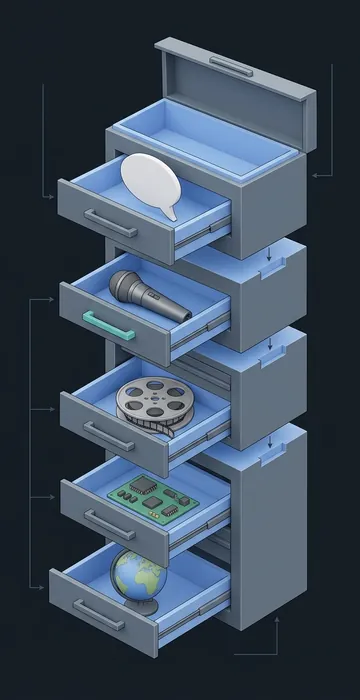
They're worth exploring because they work with data the platform already holds, like enrollments, completions and skills profiles. Before switching them on, ask the vendor what data each feature uses, whether learners can see why something was recommended and how admins can correct mistakes.
Developers should also know what the platform expects from content. If the LMS tags skills automatically, clear titles, descriptions and objectives in your course metadata help it tag accurately. A little care at publish time makes the platform's AI more useful to learners.
How Do You Introduce a New AI Tool Without Chaos?
Introduce a new tool with a small pilot, a named owner and a short write-up of what you learned. Tools that arrive with no plan tend to get used by one enthusiast and ignored by everyone else.
- Name one person to own the pilot and one real project to test it on.
- Agree on what success looks like, such as hours saved on narration or fewer review rounds on quizzes.
- Run the pilot for two to four weeks and keep simple notes on time, quality and frustrations.
- Share a one-page summary with the team: what worked, what didn't and the prompts or settings worth reusing.
- Decide together whether to adopt it, and if so, add it to your approved list and your onboarding notes.
This approach keeps the toolkit lean. It also gives you evidence when someone asks why the team pays for a tool, or why it doesn't.
Where Does a Team's AI Time Actually Go?
For most teams, the general assistant does the bulk of the work, and the specialized tools fill in around it. The chart below shows an illustrative mix for a small team building a few compliance and onboarding courses a month.
Share of AI-assisted hours by tool category in a typical month
Illustrative example: a hypothetical three-person team building compliance and onboarding courses; not survey data. Your mix will depend on your projects.
View the data
| Share of AI-assisted hours | |
|---|---|
| General assistant | 45% |
| Authoring tool AI | 20% |
| Voice | 15% |
| Avatar video and translation | 12% |
| Coding | 8% |
The point isn't the exact percentages. It's the shape. Nearly half the AI-assisted hours go to one general tool, which is why mastering it first pays off. Specialized tools matter, but they're smaller slices that you add when a project needs them.
How Do You Choose AI Tools for eLearning?
Choose AI tools for eLearning by testing them on your own work and checking them against a short list of practical criteria. A polished demo only proves the vendor picked good examples. Your own content shows what you'll really get.
- Task fit. Does it help with something your team does every week?
- Data approval. Is it approved for the kind of content you'll put into it? Business plans usually offer stronger protections than free accounts.
- Output quality on your material. Run the same real task in each candidate and compare.
- Workflow fit. Does it export in formats your authoring tool and LMS accept?
- Licensing. Can you use the output in internal and external training under your plan?
- Learning curve. Can the whole team use it, or only one enthusiast?
Where AI still needs you: choosing tools based on your real work and your organization's rules, then reviewing everything they produce. The best tool is the one your team uses well and safely.
What Does a Starter Toolkit Look Like by Team Size?
A starter toolkit scales with your team. Here's a practical way to think about it.
- Solo developer or consultant: one general assistant on a business plan, plus your authoring tool's AI features and built-in text-to-speech. Add a dedicated voice tool if narration quality matters to clients.
- Small team: a shared general assistant, a voice tool with a common pronunciation dictionary and a shared prompt library. Add a coding assistant for whoever handles custom builds.
- Larger L&D department: an enterprise assistant managed by IT, approved voice and avatar platforms, a translation workflow with native reviewers, and a short written policy on which tools are approved for which data.
Whatever the size, review the toolkit every six months. Tools change quickly, and features you needed a separate subscription for may now be built into something you already pay for.
Fewer Tools, Used Well: Building Your AI Toolkit for eLearning
The AI tools for eLearning that matter most are the ones that fit your daily work: a general assistant, your authoring tool's AI features and a voice tool, with coding, video and translation tools added as needed. That's a toolkit you can learn deeply rather than a pile of trials you never finish.
Open the assistant your organization already supports and use it on one real task each day for two weeks, saving every prompt that works. Then add one specialized tool at a time, only when a project calls for it.