How AI Makes Microlearning Faster to Build and Easier to Find

Microlearning sounds simple: short lessons, one objective each, easy to fit into a workday. Then you try to build forty of them, write a quiz for each, caption every video and tag the whole set so people can locate the right one, and suddenly "short" doesn't feel fast at all. This is exactly where AI microlearning tools can change the math. How does AI make microlearning faster to build and easier for learners to find?
AI speeds up microlearning by handling the repetitive production work, and it makes lessons easier to find by writing better metadata and powering smarter search. On the build side, assistants like ChatGPT, Claude and Microsoft Copilot can split a long course into single-objective chunks, draft scripts and quiz items, and produce captions and transcripts. On the findability side, AI can tag every lesson with consistent keywords, write clear descriptions, and help learners search in their own words instead of guessing your course titles. A designer still decides what each lesson should teach and checks every draft, and the result is a library that grows faster and actually gets used.
What Makes Microlearning Slow to Build Without AI?
The slow part isn't any single lesson; it's the multiplication. A 60-minute course converted into twelve short lessons means twelve scripts, twelve sets of questions, twelve thumbnails, twelve descriptions and twelve sets of captions. Each task is small, but together they consume weeks.
Microlearning also requires consistency, because every lesson should follow the same structure, use the same terminology and look like it belongs to the same set. Maintaining that consistency by hand across dozens of items is tedious, and tedious work is where mistakes creep in.
If you want a quick primer on the format itself, the Wikipedia overview of microlearning covers the common definitions and the research debates around it.
How Does AI Microlearning Speed Up the Build?
Here's a production workflow that suits many teams, with the human checkpoint identified for each step.
Chunk the Source Material
Give the assistant your existing course, procedure or slide deck, and ask it to propose a list of single-objective lessons, each with a one-sentence objective and the source pages it draws from. You review the list, merge or split items, and remove anything that isn't tied to a real job task. This step alone can save hours of outlining.
Draft Scripts From a Template
Write one model lesson by hand. Then give the assistant that model plus the source content for each new lesson, and ask it to follow the same structure: hook, key point, example, quick practice, recap. Your consistency problem becomes much smaller because every draft starts from the same pattern.
Generate Practice and Quiz Items
Ask for two or three practice questions per lesson, each with plausible wrong answers and a short explanation. Good distractors are difficult to write and AI produces them quickly, so a subject matter expert (SME) or designer only needs to confirm that each item has one defensible right answer.
Produce Captions, Transcripts and Audio
Short videos still need captions. Automatic captioning in tools many teams already use gets you most of the way, and you correct names and technical terms. If you use synthetic narration from a text-to-speech service such as ElevenLabs, you can update a lesson's audio by editing the script instead of booking a new recording session, which is a significant advantage for content that changes often.
Accessibility is easier with short lessons, not harder. A two-minute video with clean captions and a transcript is far more usable than a 40-minute one with neither.
How Long Should Each Micro Lesson Be?
A lesson should be as long as one objective requires, and no longer, because there's no magic number despite what you may have read. A lesson on how to log a near miss might take ninety seconds, while a lesson on how to de-escalate an angry caller might need five minutes and a short practice scenario.
AI is useful for trimming. Paste in a draft script, ask the assistant to cut it by a third without losing any step or warning, and then compare the two versions. Usually the shorter one is clearer, and the cuts are the repeated explanations and filler phrases that crept in during writing. Keep anything the SME flags as essential, even if it makes the lesson a bit longer, because brevity is the goal but completeness matters more.
Why Is Microlearning So Hard to Find?
Most libraries are organized the way the training team thinks, not the way learners search. Course titles like "Module 4: Escalation Protocols" mean nothing to someone typing "customer wants a refund over the limit" into a search box at 4:55 p.m.
Tagging is usually the weak link. Different people tag lessons differently, half the library has no description, and keywords drift over time, yet a short lesson nobody can find might as well not exist.
How Does AI Make Short Lessons Easier to Find?
AI improves findability in three practical ways.
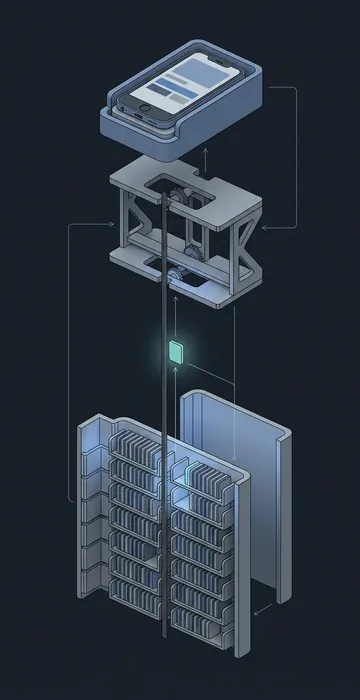
- Consistent metadata. Give the assistant your tag list and each lesson's script, and ask it to assign tags, write a 25-word plain-language description and list the questions the lesson answers. Do this for the whole library at once and the tags finally match.
- Search in the learner's words. Many learning platforms now offer AI-powered search that matches meaning, not just exact keywords. Feeding it good descriptions and "questions this answers" makes it work much better.
- Smarter recommendations. When lessons are tagged by skill and task, a platform can suggest the next short lesson based on role, recent activity or a skills profile.
The "questions this answers" field is the technique I'd adopt first. Learners search in questions, so if your metadata contains those questions in plain language, people find the right lesson on the first try.
Where Should a Person Stay in the Loop?
Speed is only valuable if quality holds, so keep a human review at these points:
- Approving the lesson list and objectives before any scripts are drafted.
- Checking every fact, number and procedure step against the source.
- Reviewing quiz items for one clear correct answer.
- Spot-checking captions for technical terms and names.
- Reviewing tags and descriptions for accuracy before they go live.
None of these checks takes long when the drafts are clean and consistent. That's the real gain, because your review time goes to judgment instead of retyping.
Is Microlearning the Same as Performance Support?
Not quite, though they overlap. Microlearning is still training: a short lesson someone completes to build a skill. Performance support is help at the moment of work, like a checklist or a quick answer while doing the task, and a good library often feeds both. If you're curious about the second half of that picture, look at how AI performance support tools answer questions on the job.
Why AI Microlearning Pays Off Twice
AI microlearning works because it removes the multiplication problem from your team's workload. Chunking, scripting, quiz drafting, captions and metadata all become faster, and the lessons come out more consistent than most hand-built sets.
The findability gains might matter even more. A well-tagged library with plain-language descriptions and good search turns short lessons into something people use on their own initiative, not just when assigned.
Pick one existing course and run it through the workflow above, chunking it, scripting it, tagging it and publishing a small set. Then monitor the search logs to see what people actually look for, and let that evidence shape your next batch.