Using AI to Analyze Learner Comments and Survey Feedback

You ran the course, sent the end-of-course survey and got back a few hundred comments. Some are useful ("the audio is too quiet to hear in the shop"), some are vague ("fine") and some are buried in a long paragraph about the parking lot. Reading them all takes days, so they often sit in a spreadsheet nobody opens. Can AI survey analysis turn that pile of learner comments into something you can act on?
Yes. AI survey analysis can read hundreds of open-ended learner comments in minutes, group them into themes, show how often each theme comes up and pull out representative quotes, which turns a spreadsheet you were avoiding into a short list of course fixes. Tools such as ChatGPT, Claude, Microsoft Copilot and Gemini all handle this kind of sorting well. The routine is simple: remove personal details, give the tool context, ask for themes with counts and exact quotes, then spot-check the results against the raw comments before you act. That check is just good practice, like reviewing a new analyst's first report.
What Can AI Do With Learner Comments?
It does the tedious sorting that people put off. Specifically, a general-purpose AI assistant is good at:
- Grouping comments into themes, such as audio problems, pacing, outdated content or praise for a specific scenario.
- Counting roughly how many comments fall under each theme.
- Pulling a few short quotes that represent each theme.
- Flagging comments that mention safety issues, errors or broken links, which deserve a fast response.
- Splitting results by group if you include a column for site, role or shift.
- Summarizing what changed between two survey periods.
This is mostly what the Kirkpatrick Model calls Level 1, or Reaction: how learners felt about the training. The Kirkpatrick Partners overview is a good reminder that reaction data is one piece of the picture, not proof that people learned. Still, comments are where learners tell you the practical problems nobody else will.
Before You Paste Anything, Protect People
Clean the data first, because learner comments often include names, employee IDs, supervisor names or details that point to one person. Remove those columns and scrub the comment text before it goes into any AI tool.
Use the AI tool your organization has approved, ideally a business or enterprise account with data protections your IT team has reviewed. If your company has an AI use policy, follow it, and if it doesn't, ask before pasting employee feedback into a personal account. That conversation takes five minutes and prevents considerable trouble.
A Practical AI Survey Analysis Workflow
Here is a routine that works for most course surveys, from a few dozen comments to a few thousand.
- Export the survey to a spreadsheet. Keep the comment column plus any useful grouping columns, such as course, site or role.
- Remove names, IDs and anything that identifies a person.
- Give the AI tool context: what the course is, who takes it and what you want to learn.
- Ask for themes with counts, short definitions and two or three example quotes each.
- Ask for a separate list of urgent items, such as safety concerns or technical failures.
- Check the output (more on that below).
- Turn the themes into an action list with owners and dates.
A starting prompt might look like this:
Course: a 30-minute online forklift refresher for warehouse staff.
Below are 312 anonymized learner comments, one per line.
1. Group them into 5 to 8 themes. For each, give a one-line
   definition, an approximate count and 2 exact quotes.
2. List every comment about safety, content errors or
   technical problems, quoted exactly.
Do not invent comments. Put anything that fits no theme in "Other."
Asking for exact quotes is the key move, because it lets you verify the work against the source.
How Do You Check the AI's Work?
Spot-check the output: pick a theme, search the spreadsheet for a few of its keywords and see whether the count looks about right, then confirm that the quotes really appear in the data. Read twenty random comments yourself and see whether the themes cover them.
AI tools are strong at grouping and summarizing, but counts can drift on large sets, and sarcasm or shop-floor slang can be misread. Language models can also occasionally produce confident text that isn't in the source, which is why frameworks such as the NIST AI Risk Management Framework encourage people to measure and verify AI output before relying on it. Asking for exact quotes and checking a few is a simple, practical version of that.
| Task | What AI does well | Where you step in |
|---|---|---|
| Sorting comments into themes | Fast, consistent first pass | Merge or split themes that don't fit your course |
| Counting | Gives quick approximate numbers | Verify counts for any theme you'll act on |
| Quotes | Finds clear, representative examples | Confirm they exist in the data |
| Urgent flags | Catches safety and error mentions | Read every flagged comment yourself |
| Recommendations | Suggests possible fixes | Decide what to change, with the course owner |
What Does a Good Result Look Like?
Picture the forklift refresher from the prompt above. A useful output might come back with six themes: narration hard to hear in noisy areas, the course feeling too long for a break-time refresher, praise for the pedestrian-safety scenario, questions about a site-specific rule the course didn't cover, a broken video on one screen and a scattering of "fine" and "no comment." Each theme would have a short definition, a rough count and a couple of real quotes.
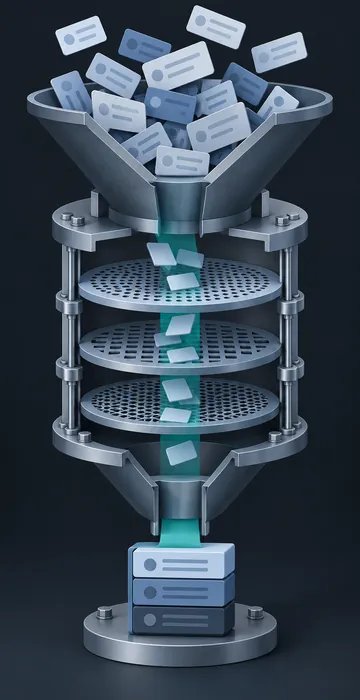
That is enough information to act on, because you know what learners liked and should keep, what is broken and needs a quick fix and what needs a conversation with the course owner. Without the tool, you might have reached the same list, but it would have taken most of a week instead of an afternoon.
Can You Use This on Other Kinds of Feedback?
Yes, the same workflow applies to comments from pilot testers, SME review notes, help desk tickets about a course, open-ended answers in a needs analysis survey and notes from supervisor interviews. Field crews often give their most honest feedback in a sentence or two typed on a phone after a shift. AI survey analysis is a good way to make sure those short comments get read and counted instead of skimmed.
Keep the comment sets separate when the audiences differ. Mixing manager feedback with learner feedback can blur themes that matter to one group but not the other.
Turning Themes Into Fixes
A theme list is only useful if something changes. Take the top three themes and ask a plain question about each: what would we change in the course to fix this? "Audio too quiet in the shop" might mean adding captions and raising narration levels. "Too long" might mean splitting the module. "Screens don't match our equipment" might mean a content update with the SME.
Sometimes the comments point to a bigger problem, such as a course built years ago that no longer fits the job or runs poorly on tablets. In those cases the fix may be a modernization project, and AI course conversion techniques can speed that up too.
Close the loop with learners, since a short note saying "you told us the audio was hard to hear, so we added captions" makes people far more willing to fill out the next survey.
Every Comment Read, Every Fix Assigned
AI survey analysis takes the slowest part of course evaluation, reading every comment, and makes it fast. Anonymize the data, give the tool clear context, ask for themes with counts and exact quotes, spot-check the results and turn the top themes into fixes.
Try it on your most recent survey export this week. Even a small set of comments will show you how much the tool can do, and where your judgment still makes the difference.